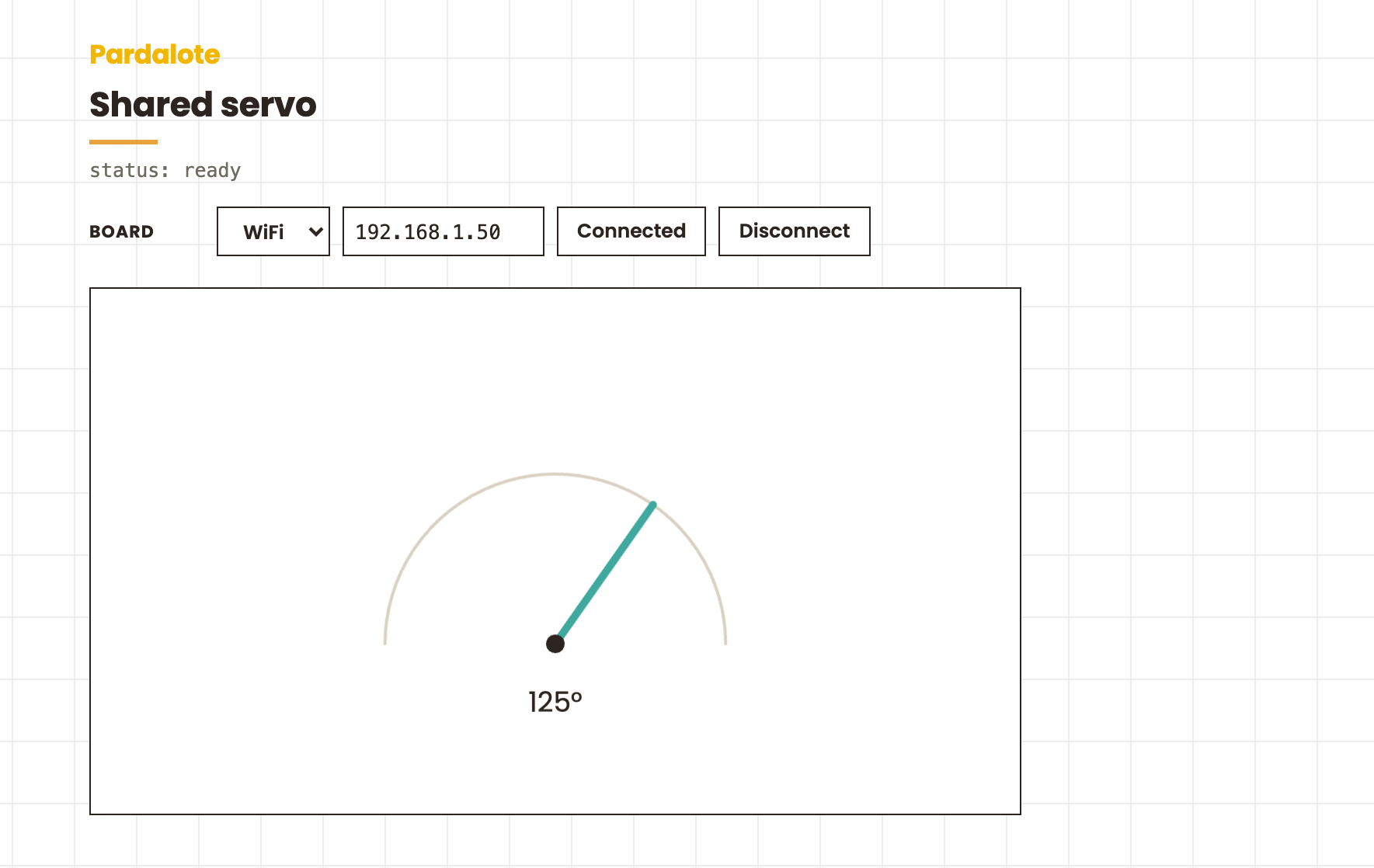
Shared servo
A servo the Arduino sketch creates and the browser receives automatically. One line on the board:
pan = PardaloteServo.attach("pan", 9);
and arduino.pan exists in every connected browser — a full Servo instance, identical to one created with arduino.add('pan', new Servo()). No JS-side setup.
#include <Pardalote.h>
#include <PardaloteServo.h>

const int SERVO_PIN = 9; // e.g. pin 9 for UNO R4, GPIO 18 for ESP32

int pan = -1;                     // logical id, auto assigned by attach()
unsigned long lastMove = 0;

void setup() {
    Pardalote.begin();

    // Create the servo and make it visible to every browser as
    // arduino.pan. Returns the logical id for the calls below.
    pan = PardaloteServo.attach("pan", SERVO_PIN);

    PardaloteServo.write(pan, 90);
}

void loop() {
    Pardalote.run();

    // Every 4 s, glide to a new pose (1 s, board-interpolated).
    // The browser's arduino.pan.angle follows automatically.
    if (millis() - lastMove > 4000) {
        lastMove = millis();
        int target = random(20, 161);
        PardaloteServo.writeTimed(pan, target, 1000);
    }
}
const W = 600, H = 340;

let arduino, haveServo = false;

function setup() {
    createCanvas(W, H);
    textFont('Poppins');
    createDiv('The sketch nods the servo every 4 s. Press the mouse to take over; '
        + 'release to hand it back. The servo pin is set in the Arduino sketch.').class('hint').parent(select('main'));

    arduino = new Arduino();
    setupConnection(arduino, { store: 'pardalote-shared-servo' });

    // The Arduino sketch calls PardaloteServo.attach("pan", 9), so arduino.pan
    // simply exists by the time 'ready' fires — nothing to configure here.
    arduino.on('ready', () => {
        haveServo = !!arduino.pan;
        if (!haveServo) console.warn('The sketch did not create a "pan" servo');
    });
    arduino.on('disconnect', () => { haveServo = false; });
}

function draw() {
    background(255);

    if (!haveServo) {
        fill('#6d6a5f'); noStroke(); textSize(14); textAlign(CENTER);
        text(arduino.connected ? 'Waiting for the board’s servo…' : 'Connect to begin', width / 2, 160);
        textAlign(LEFT);
        return;
    }

    // Take over while the mouse is pressed — a plain Servo write, the same call
    // you'd make on a browser-created servo.
    if (mouseIsPressed && mouseY >= 0 && mouseY <= height && mouseX >= 0 && mouseX <= width) {
        arduino.pan.write(map(constrain(mouseX, 0, width), 0, width, 0, 180));
    }

    // arduino.pan.angle tracks BOTH sides' writes: browser writes set it, and
    // sketch writes are auto-echoed into it.
    drawServo(arduino.pan.angle);
}

function drawServo(angle) {
    // house palette: hairline track, teal arm, ink hub
    push();
    translate(width / 2, 230);
    stroke('#d9d2c2'); strokeWeight(2); noFill();
    arc(0, 0, 220, 220, PI, TWO_PI);
    stroke('#3FA9A0'); strokeWeight(5);
    const a = radians(180 - angle);
    line(0, 0, 110 * cos(a), -110 * sin(a));
    fill('#2B2420'); noStroke(); circle(0, 0, 12);
    textAlign(CENTER); textSize(18);
    text(`${round(angle)}°`, 0, 44);
    textAlign(LEFT);
    pop();
}
What this example demonstrates
- The sketch creates the servo —
PardaloteServo.attach("pan", pin)attaches it on the board and announces it to browsers in the same act. Browsers that connect later get it too. - The browser object is the real thing —
arduino.pan.write(),writeTimed(),whenDone(), groups, limits: everything a browser-created servo has. - Both sides drive it, both stay in sync — the sketch nods the servo every 4 s (
PardaloteServo.writeTimed(pan, …)), the browser grabs it with the mouse. Sketch writes are auto-echoed, soarduino.pan.anglealways tracks whoever wrote last.
This is the actuator counterpart of Pardalote.share(pin, mode) — except a servo has no life outside Pardalote, so there's no separate "share" step: creating it is sharing it. A servo that should stay private to the sketch shouldn't go through Pardalote at all — use the plain Servo/ESP32Servo library, the way unshared pins just use pinMode().
Hardware
- Arduino UNO R4 WiFi or ESP32 development board
- Hobby servo: signal on pin 9, plus 5 V and GND (power a real servo from a supply, not the board's 5 V pin)
Run it
- In Arduino IDE: File → Examples → Pardalote → shared-servo, select your board, upload.
- Find the Arduino's IP from the LED matrix (UNO R4) or Serial Monitor (ESP32).
- Open
index.htmland press Connect — enter the IP (or switch to USB). No code editing needed; the setting is remembered per browser. - Watch the sketch move the servo; press the mouse to take over.
What's happening under the hood
On attach, the board broadcasts a SHARE frame ([logicalId] + the name) followed by the servo's attach state and angle. The JS core intercepts SHARE, constructs a Servo, and binds it as arduino.pan; the state frames then sync it through the normal announce machinery. The same sequence replays for every browser that connects later, so the object is always there before 'ready' fires.
arduino.on('share', ({ name, extension }) => { ... });  // optional: the moment it appears
arduino.on('ready', () => { arduino.pan.write(90); });  // it's simply there