Leader → Follower
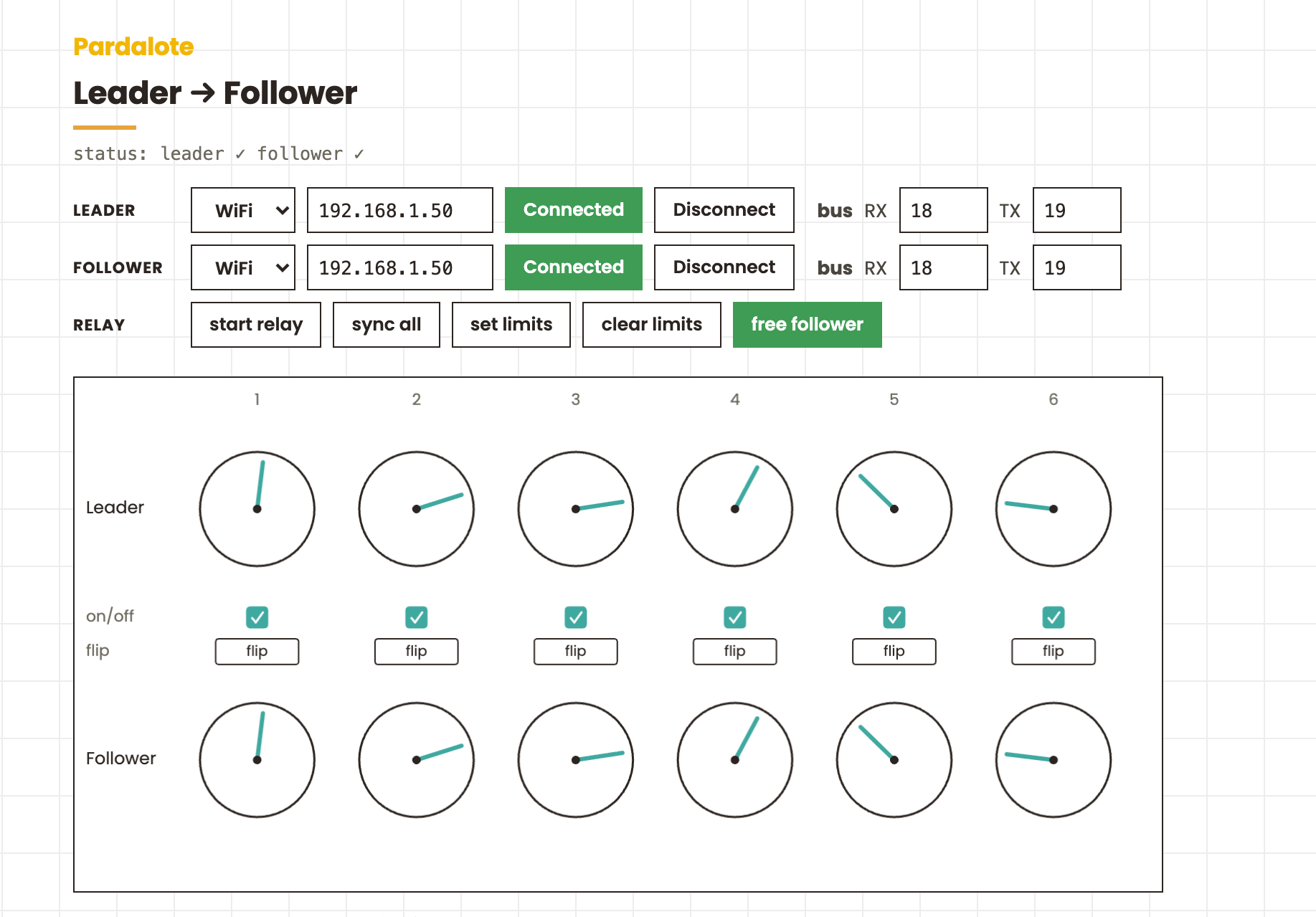
Teleoperate a robot arm by hand. Move a leader arm and a second follower arm mirrors it live, joint for joint — the leader/follower setup from the LeRobot project, running entirely in the browser. Two boards, two arms, one web page.
The leader is free (torque off), so you back-drive it by hand; the browser streams its six joint positions to the follower, which holds and follows.
Hardware
- Two WiFi Arduinos — UNO R4 WiFi or ESP32, one per arm.
- Two identical arms, each with six Feetech STS3215 bus servos on a serial-bus driver board, servo IDs 1–6. (The STS3215 is the servo in the LeRobot SO-100 / SO-101 arms.)
- A servo power supply per arm (6–7.4 V) — not the board's 5 V rail.
Bus wiring is the same as the Bus servos example: UNO R4 → Serial1 (D0/D1); ESP32 → set the pins with the bus RX/TX fields on the page.
Arduino
Both boards run the same bus-servo firmware — upload File → Examples → Pardalote → bus-servos to each, and note the IP each reports. Nothing arm- specific lives on the board; the leader/follower logic is all in the browser.
Browser
This is a tool — no code editing. Open index.html and:
- Enter each board's address in the Leader and Follower rows (WiFi IP, or switch a row to USB) and press Connect on each — the button turns green when it's up.
- Line the arms up joint for joint and press sync all to match every joint's origin (this cancels any difference in how the servos were installed).
- Press start relay. Move the leader by hand; the follower mirrors it.
| Control | What it does |
|---|---|
| sync all | capture both arms' current positions as matched origins for every joint (press again to clear) |
| on/off (per pair) | the checkbox above each column excludes that joint pair from the system — its follower goes limp |
| flip (per joint) | mirror that joint — leader forward → follower backward |
| set limits | free the follower, hand-move it to record safe soft limits, press again to lock |
| free follower | release the follower's torque to pose it by hand |
| start relay | stream leader → follower |
Every setting is remembered per browser, so a return visit reconnects with one click.
How it works
Two boards means two Arduino instances — one connection each:
const leader   = new Arduino();
const follower = new Arduino();
leader.connect('192.168.1.41');
follower.connect('192.168.1.42');
Six bus servos per arm. Each arm gets six BusServos, attached to IDs 1–6.
The leader is freed and polled so we get live positions; the follower is held:
for (let i = 1; i <= 6; i++) {
    leader.add('L' + i, new BusServo());
    follower.add('F' + i, new BusServo());
}

leader.on('ready', () => {
    for (let i = 1; i <= 6; i++) {
        const s = leader['L' + i];
        s.attach(i, 'ST');
        s.disableTorque();   // back-drivable — move it by hand
        s.read(50);          // stream its position ~20×/sec
    }
});
The follower moves as a group. A group writes all six joints in one Feetech SyncWrite packet (one WebSocket message), so they move together instead of trickling in one at a time:
const arm = follower.group('arm', {
    1: follower.F1, 2: follower.F2, 3: follower.F3,
    4: follower.F4, 5: follower.F5, 6: follower.F6,
});
The relay copies the leader's live positions to the follower on a timer:
setInterval(() => {
    const vals = {};
    for (let i = 1; i <= 6; i++) vals[i] = leader['L' + i].position;
    arm.write(vals);   // one coordinated move
}, 50);
Sync and flip are just a per-joint remap. Each joint remembers a leader origin and a follower origin (captured when you toggle sync, or the servo centre otherwise), and the follower target is the leader's movement relative to that origin — optionally mirrored:
const delta  = leaderPos - leaderOrigin;
const target = followerOrigin + (flip ? -delta : delta);
Because the target is relative to a matched origin, the arms don't need to be built or mounted identically — you line them up once, sync, and the offset cancels out.
Notes
- Positions are raw encoder counts (0–4095 for ST servos, centre 2048), not degrees.
- Soft limits are enforced on the follower's board. "set limits" records the
hand-moved range and applies it with
setLimits(), so a relayed move can't drive the follower past it. - The leader only ever reads; the follower only ever writes — so there's no fighting between hand-posing and the relay.